Kompanion
Kompanion is Luftrum's universal EFB (electronic flight bag) experience that works across desktop, tablet and mobile. It is bundled with Konnekt and can be used as the default desktop experience instead of Konnekt, but you can also remain on Konnekt on your sim PC and use Kompanion on your tablet/phone only.
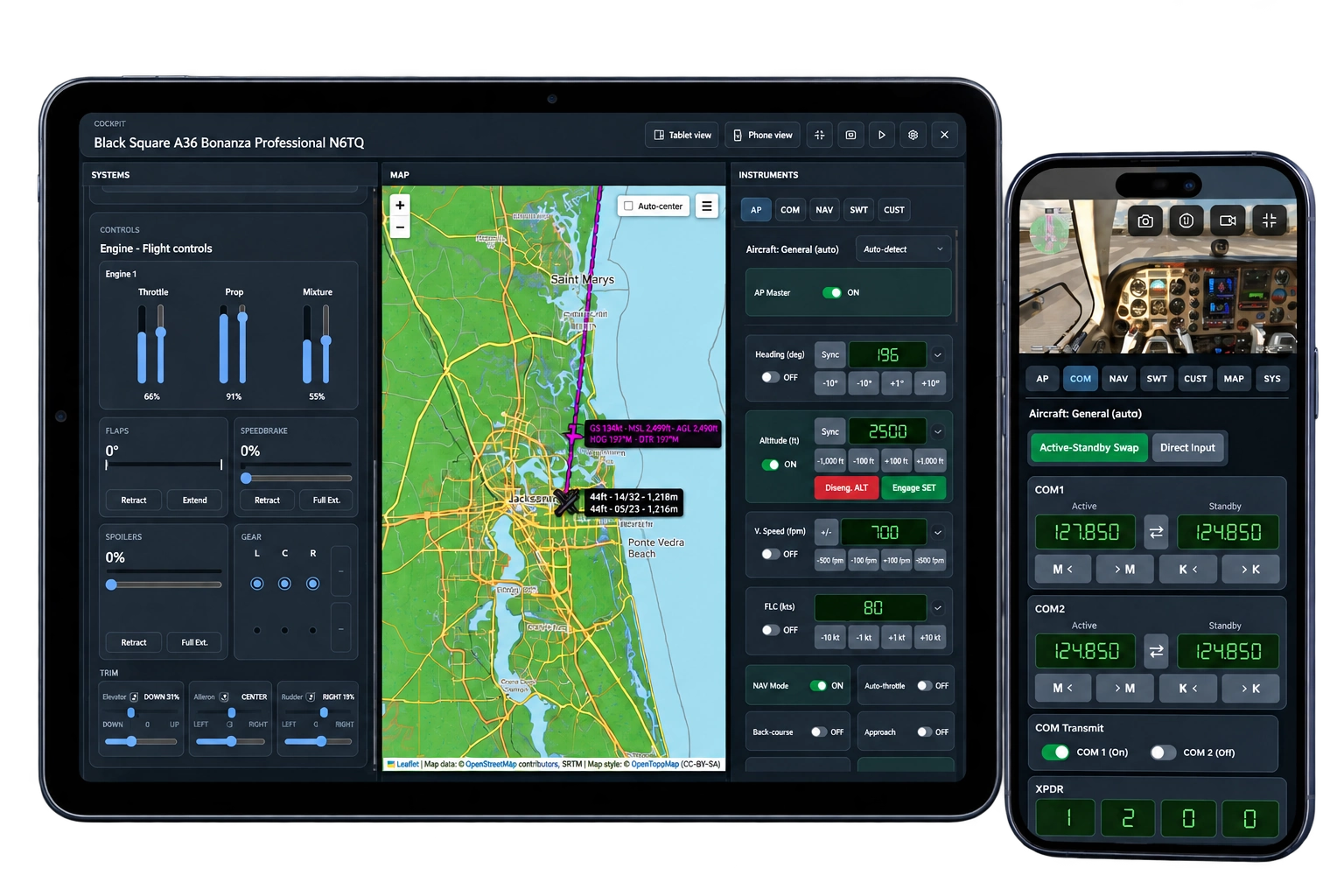
Cockpit
Kompanion was built to scale your flight sim user experience with your career. As you progress you'll fly aircraft of increasing complexity, which means an increasing number of buttons and bindings. You can spend on dedicated hardware (it's actually worth it), but if you don't have the desk space or funds, you can use Kompanion to control many of the axes and buttons of sophisticated aircraft. For this, use its Cockpit panel.
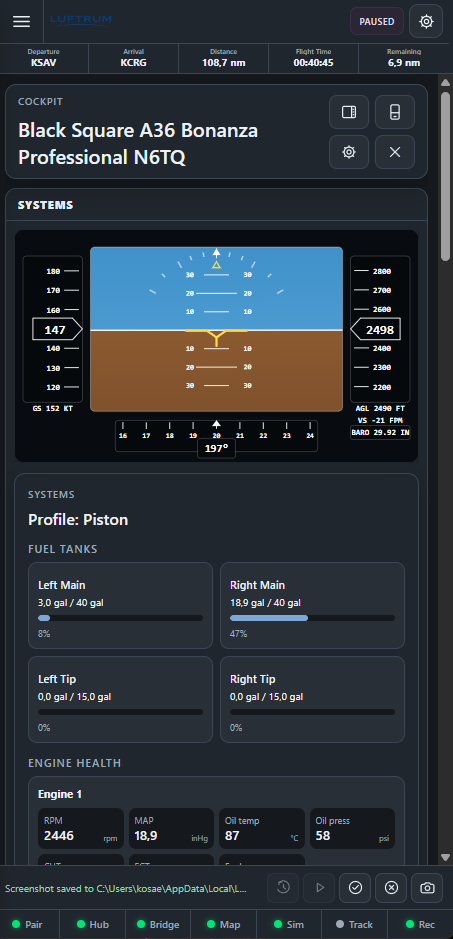
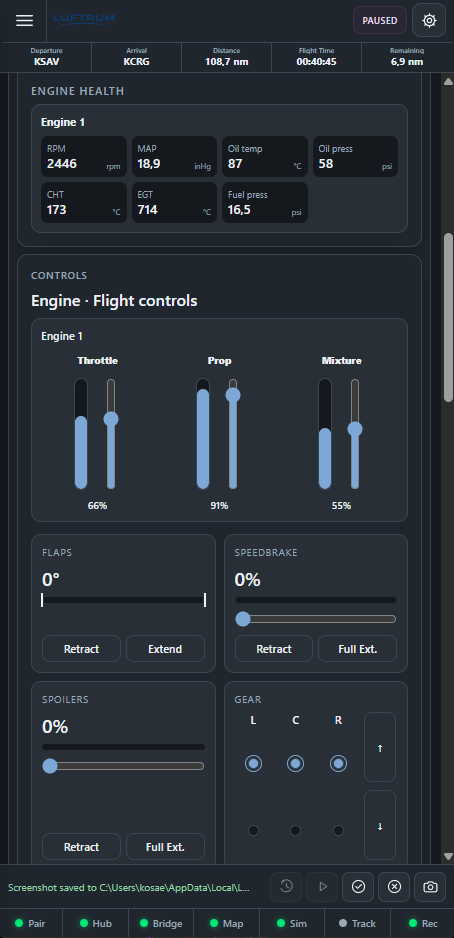
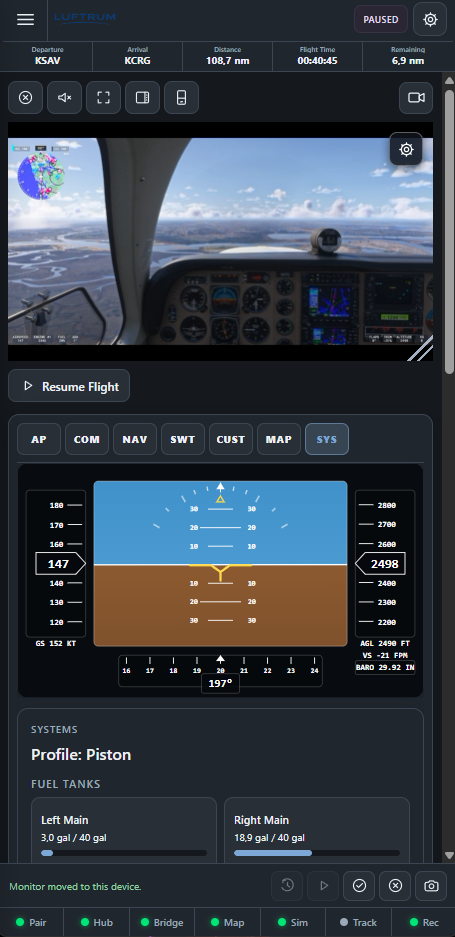
Remote Fly
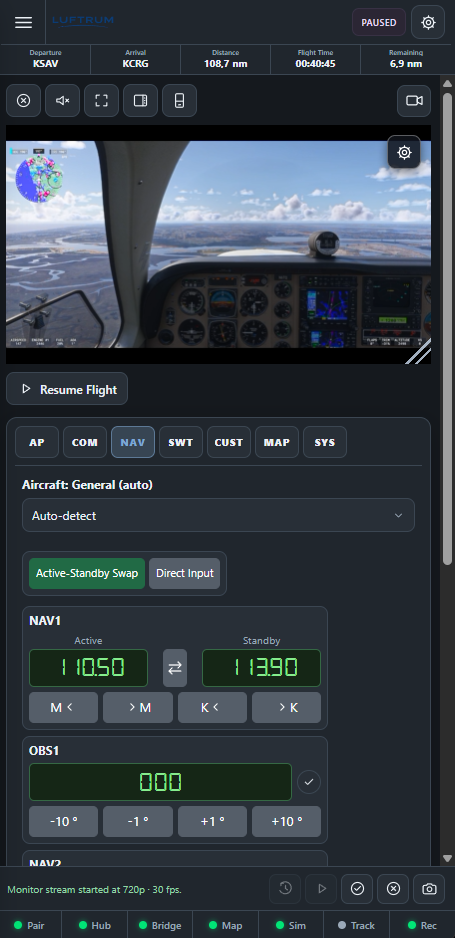
Besides aircraft complexity, you'll also fly longer and longer legs, mostly on autopilot. Kompanion gives you Remote Fly which uniquely allows you to stream cockpit video to your phone/tablet, while having access to cockpit controls.
And more
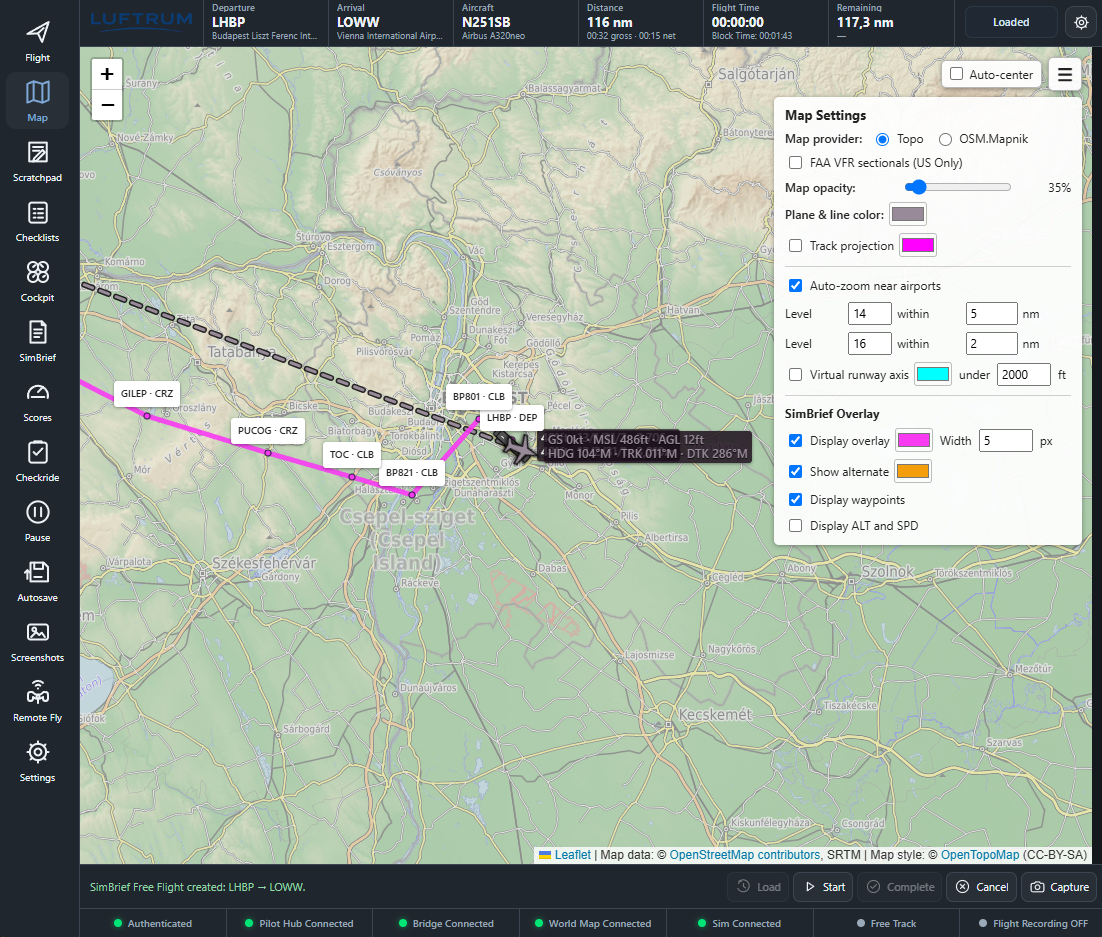
- Moving map with detailed departure/arrival runway data and a real projection of runways when zoomed in
- FAA Sectional Chart moving maps in the US
- SimBrief integration
- Screenshot feature that allows you to snap your screen effortlessly (works remotely too!) and attach to your flight log or upload to FSHub / Volanta
- A scratchpad if you have a pen and tablet
- Customizable flight telemetry display
- Conditional pause based on distance, fuel, AGL or T/D
- Experimental flight save and load (MSFS has bugs here!)
Architecture
Konnekt, Kompanion, local, wifi, remote. It can be a bit overwhelming, so here's a diagram to explain. Click the components to see how the local simulator, Konnekt, KompanionHost, KompanionBridge and remote Kompanion clients work for a uniform experience.
Components marked with a star(*) are paid features. Pricing here.
Simulator
Your running flight simulator, supplying aircraft data and receiving flight controls.
Q&A
So what is Konnekt and what is Kompanion?
Konnekt is the original experience between your simulator and Luftrum. It still exists because it's a lightweight app for those who fly in VR primarily or don't care about a local EFB. It's also the default experience when you start the app. Kompanion is an enhanced experience that uses the same underlying connector infrastructure but replaces the UI and launches an additional component, called the KompanionHost (this is not visible to you).
How do I run it on my tablet/phone?
KompanionHost, which runs on your sim PC also hosts a tiny webserver. You can pair and permit devices to access this server on your local network. Go to Settings in Kompanion and do the pairing using a QR code or a PIN.
Is there an Android or iOS app?
Never say never, but not planned. You can get very close to a native app feel by installing Kompanion as a PWA on your phone (click on the URL bar and pick Install), but you need a Remote Access License for this because the local WiFi version does not use HTTPS, a prerequisite for PWA (and local HTTPS is not quite doable either because I can't install a certificate on your PC).
Does this impact FPS?
On a modern PC not noticeably. And you need a modern PC to run flight sims, so I wouldn't sweat about this. If you use Remote Fly, it'll run very effective hardware video encoding at a reasonable 720p/30fps which will barely bite your GPU performance. If you run Twitch streaming, this is a fraction of that.
Can I remote control my plane if I leave home?
There are multiple options to do this. The unsafe (and stupid) way is to expose your PC to the internet. Don't do that. A much better solution is to use tunneling to allow certain devices to access your PC. It can be a bit involved, but it's free and effective. Kompanion also provides a turnkey solution at a fee. It's in beta but works acceptably well already, approach me on Discord if interested.
Is it possible to add [your favorite add-on airliner here] to Cockpit/Remote Fly?
Adding more planes is crowdfunded. I don't have many add-on planes and can't justify spending to add support to a non-commercial project. You can contribute through the Aircraft Funding Pool. It'll be all spent on 3rd party aircraft so that I can develop and validate additional cockpit profiles.
Remote Access License
Luftrum is a hobby project offered for free, but remote access incurs incremental server cost, which is to be covered by the user. These licenses have limited availability, but if sufficient demand shows, the infra can be scaled up to accommodate more users.
A self-configured tunnel is a viable free alternative, and is considered a legitimate use of Kompanion. If you're not comfortable setting up a safe remote access configuration for your PC, then I strongly recommend the very reasonable 15 EUR / year option over opening up your PC to the jungle.
| Feature | Kompanion over WiFi | Kompanion over the Internet (self-configured) | Kompanion over the Internet – no video streaming | Kompanion over the Internet – with video streaming |
|---|---|---|---|---|
| Cost | Free | Free | 15 EUR / year | 15 EUR / quarter |
| Cockpit controls, maps and EFB tools on your local network | Included | Included | Included | Included |
| Remote Fly video & controls on your local network | Included | Included | Included | Included |
| Cockpit controls, maps and EFB tools over the Internet | Not included | Included | Included | Included |
| Remote Fly video & controls over the internet | Not included | Depends on tunnel provider | Not included | Included |
| Native app-like experience via PWA | Not included | Not included | Included | Included |
| Over the internet without any configuration | Not included | Not included | Included | Included |
Self checkout comes online soon. Until then drop me a Discord message if you need a license.